






















































































































































In today’s busy and virtual world, we often find that we’re traveling, in meetings, or on the go as small business owners, and at times, we need to handle our business affairs from a virtual office or network. Luckily, technology has advanced to the point that we can work collaboratively no matter where we’re located in relation to our business partners, consultants, or employees with the benefit of collaborative databases.

Collaborative databases are great to help a small business owner:
- Create a centralized communication center where all messages, files, tasks, and timelines can be seen and managed by its users regardless of where they’re located.
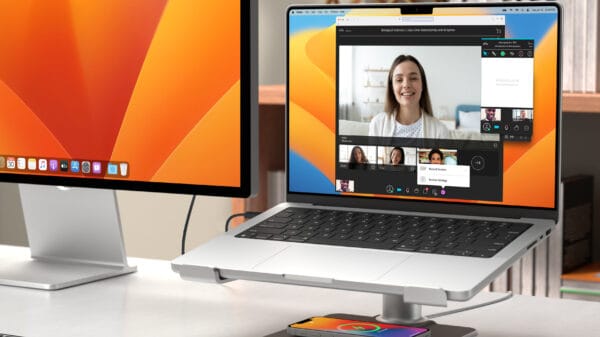
- Oversee any size project by allowing easy creation of project timelines, files, and communication needs, in addition to task assignments and allowing the capability to conduct virtual conference calls and video conferencing.
- Real-time email update and notification capability when something is added or changed within the database.
Collaborative Databases are also beneficial because they typically require very little training and thus require only a small learning curve. In fact, many options you have to choose from are relatively intuitive for the end user. In addition, some of the collaborative databases available can be integrated with Outlook and other central desktop software. The fact that many of these databases can be accessed from Smartphones in addition to any computer with an Internet connection truly means that all users of a Collaborative Database can access what they need when they need it from virtually anywhere on any device for which they have access to the Internet.
Some options to choose from when it comes to Collaborative Databases include:
- SmartSheet
- Basecamp
- Central Desktop
- Google Docs
Each of these options has their advantages and potential disadvantages when comparing them to each other, so take some time and outline what’s most important for your small business needs. Then, compare your needs with the offerings of the Collaborative Databases you’re considering to make the most educated and informed decision for your business.
Collaborative Databases can truly make a small business owner’s life a bit easier by providing a centralized means of communication with real-time updates and easy access regardless of location. This means that there can be more comfort in knowing that access to necessary documents is possible even if an internal network is down, or location becomes a challenge. Plus, collaborative databases help minimize clogging up of email servers because, in theory, less emails will need to be sent with hefty size due to attachments if the Collaborative Database is utilized as intended for all projects, big or small, for your local business.
















bilal
January 16, 2012 at 1:35 pm
collaboration and all the great tips are worthy to me and it is helping me very much thanks alot
Eric
January 17, 2012 at 1:54 pm
Totally true! We are using collaborative database for a long time. It has lots of advantages. It was hard to tweak but now it saves a lot of time and money.
Tracyann0312
January 18, 2012 at 3:37 am
Collaboration? Well maybe this might be good at all! Thinking that it can help us save time and money. By the way, thanks for sharing the tips!
Terry
January 18, 2012 at 4:20 am
Collaborative database is a good way to store all the information of the company in one centralized administration center. For small business this will prove to be very beneficial. It has very cheap installation charges, but has expensive use for small businesses. All the options which you have mentioned in your post has their unique advantages, so the small business owners should choose one of them which will suit their requirement.
Emily
January 18, 2012 at 10:16 am
Using collaborative database for the small business would help in cost cutting. Also it is very easy to understand and does not require any professional training. Collaborative database would help in getting all the required data from anywhere in the world. Getting access to the data from mobile phones makes it user friendly.
Nicholle Olores
January 23, 2012 at 5:04 am
So true. Collaborative Database is truly great way in file storing which files are srored through it’s specifications. I have not yet a business but I find this one great!
Steve
January 24, 2012 at 7:01 am
I loved this article, I have a established brick and mortar business but my website is very new and was built after clients
literally begged me to have one. I like your list of white hat tactics, things I can do without jeopardizing the good reputation I have
already. thank you
Cynthia Sadler
February 2, 2012 at 9:02 am
Thanks for the tips. May I ask are there any free online collaboration database schema tools?
Barbara
April 12, 2012 at 11:35 am
In today’s busy and virtual world, we often find that we’re traveling, in meetings, or on the go as small business owners, and at times, we need to handle our business affairs from a vir…
Kathy Blackmore
April 19, 2012 at 7:11 am
I believe that cloud computing is the future for businesses of every size, and having a centralized database definitely aids the sharing process as it reduces the need to send out an email every single time a file is updated. It takes the mess out of maintaining access to the most updated copy of files and reduces the need for sending a document to the printer and then passing it to co-workers.
Proda
May 2, 2012 at 5:21 am
Absolutely further collaboration provides wider range for the long time run of the business Because in due time past files can supplement for the betterment of future plans of the business.
Richard Hughes
July 27, 2012 at 9:55 am
I advocate the use of google docs in the creation of a virtual office space. It has a great degree of flexibility as you have the ability to access your documents regardless of where you are. Even if you do not have your computer with you you only need gain access to one and as long as it is connected to the internet you can bring up the relevant documents.